Available on: Web app only
Our new Anonymous Access feature makes collaboration simple. You can now share a document with anyone using the share link, even if they don't have an account with us. They can view or comment on your document directly in their web browser.
This feature is perfect for frictionless collaboration with anyone outside your organization. Use it to get quick feedback from a client, work with a consultant on a one-off project, or simply send a document to a colleague for review, as it allows them to access the file instantly without needing to sign up.
How does it work?
Step 1: Create the anonymous shared link
You can create an anonymous shared link on any of our platforms: Windows, Web, or iOS/Mac.
- Make sure the document is uploaded to the cloud. You can confirm this if you see a blue icon next to the document.
- Click the Share button.
- You can either send the link via email or select Copy link to copy it to your clipboard.
- Send this shared link to anyone who needs to view the document.
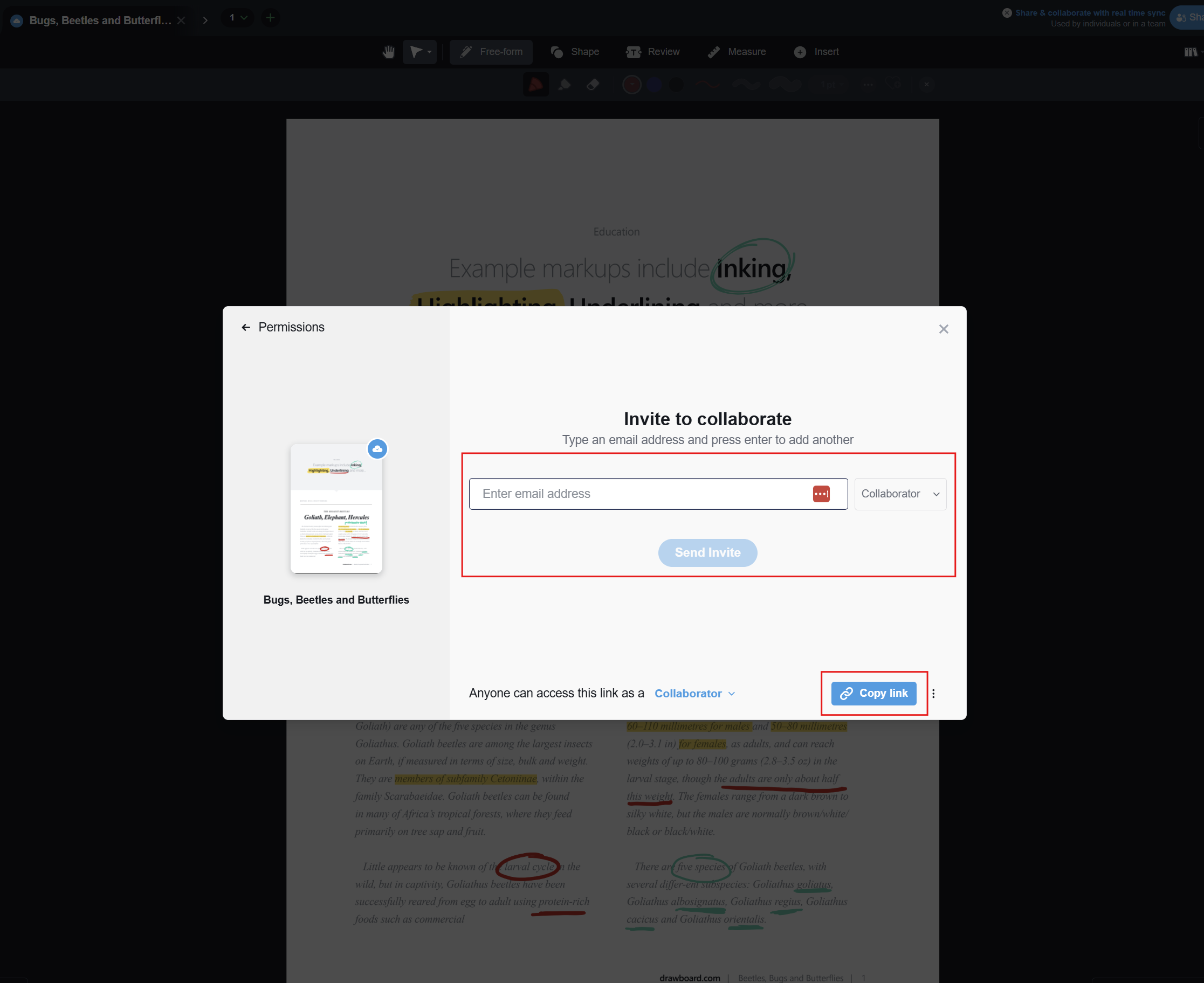
Step 2: Access the document instantly
Simply click the shared link to open the document directly in your web browser. No account or login is necessary to begin viewing and annotating. you can also change the permission of an anonymous user. Also to note that an anonymous user can't delete a shared document
Step 3: Annotate and collaborate in real-time
Add your comments and markups to the document. All changes are saved automatically to the cloud file, making them immediately visible to all collaborators.
Step 4: Create an account to retain your work
To ensure your work is saved for future access, you can create a free account at any time. All documents and annotations you worked on as a guest will be automatically transferred and linked to your new account.
Frequently Asked Questions (FAQ)
1. Can I change the permissions for an anonymous user?
Yes. As the document owner, you can switch the permission level between 'Reader', 'Collaborator', or 'Admin' at any time. Go to the Collaboration List from the Share menu, select the ellipses next to the anonymous user's name and select the desired permission from the dropdown menu.
2. Is anonymous link sharing secure?
The feature generates a unique URL, meaning only people you send the link to can access the document. However, since anyone with the link can view it, we recommend using this feature for general collaboration rather than for sharing highly sensitive documents.
3. Is this feature available on the desktop or mobile apps?
Currently, Anonymous Access is an exclusive feature of our web app. You must use the web app to generate a shareable link, and guests will always open the document in their web browser.