An Organization Admin (the first user at a company to trial) can use the Account Admin portal to invite others to Trial with no limitations on the number of Trial users.
This is the best way to collaborate and make use of our Organization Management features.
The user who created your company account (you in most cases) is the first Organization Admin, and they can give any other user Organization Admin privileges.
Accessing the Account Admin portal
Available on: Web app
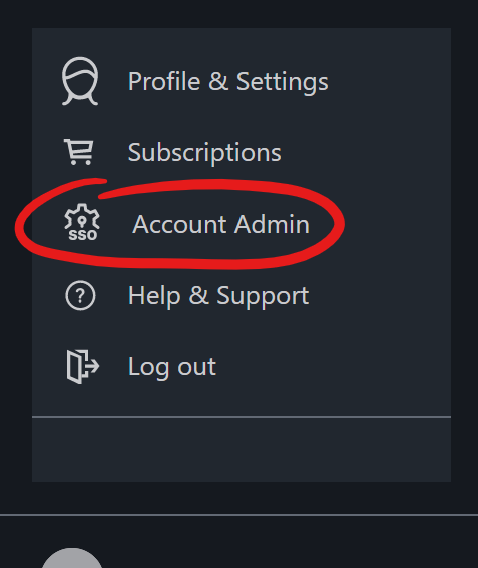
If you're an Organization Admin, you can access the Account Admin portal by clicking your name in the bottom left corner of the Drawboard Projects Web app, then clicking Account Admin.
If you don't have this menu option, but need to help manage your company's Drawboard Projects account, you'll need to ask an existing Organization Admin to grant you access.
Inviting new trial users
The User Directory section of the Account Admin portal shows you all the users in your account.
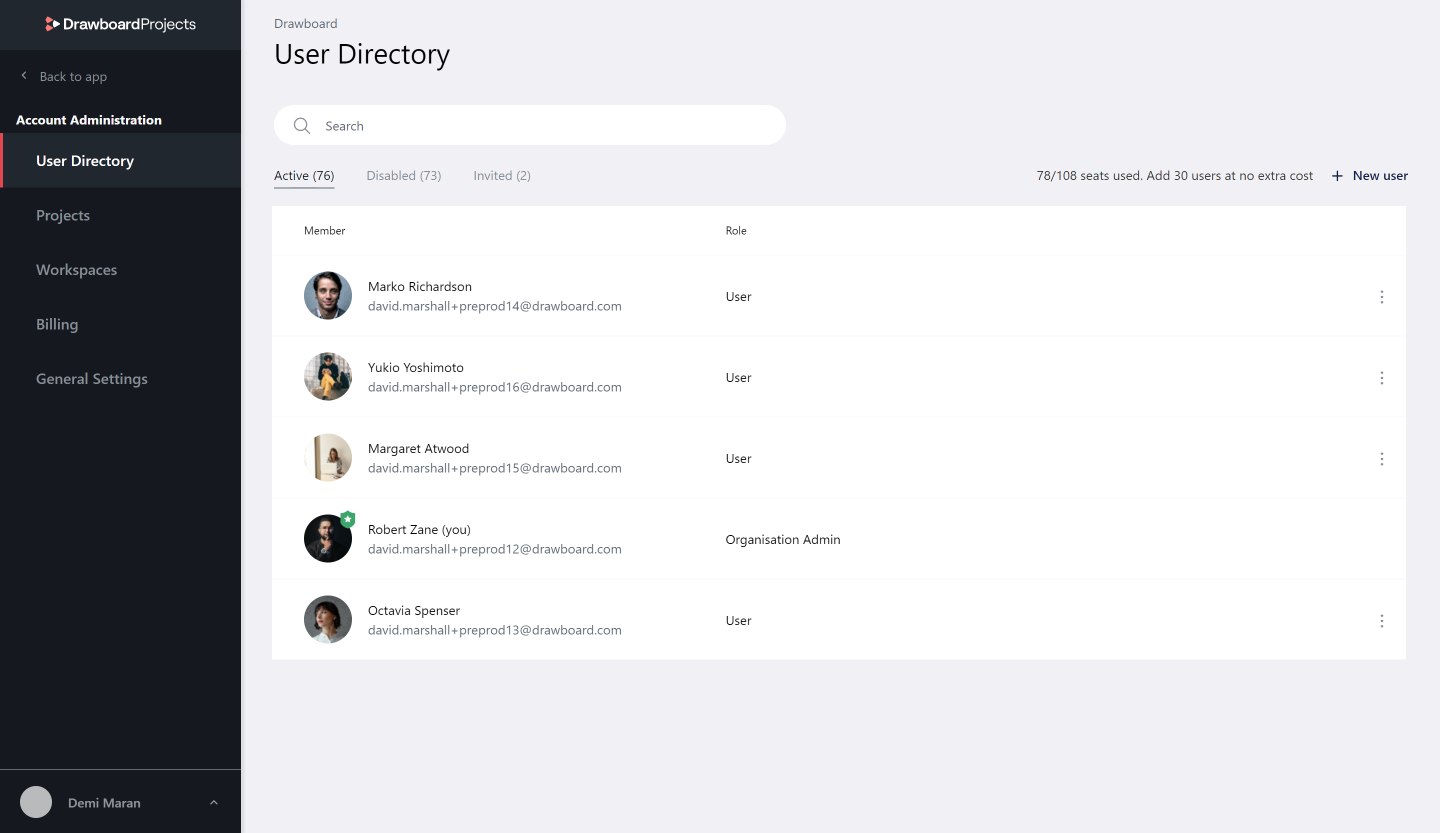
Adding new users
Open the Account Admin portal and navigate to the User Directory.
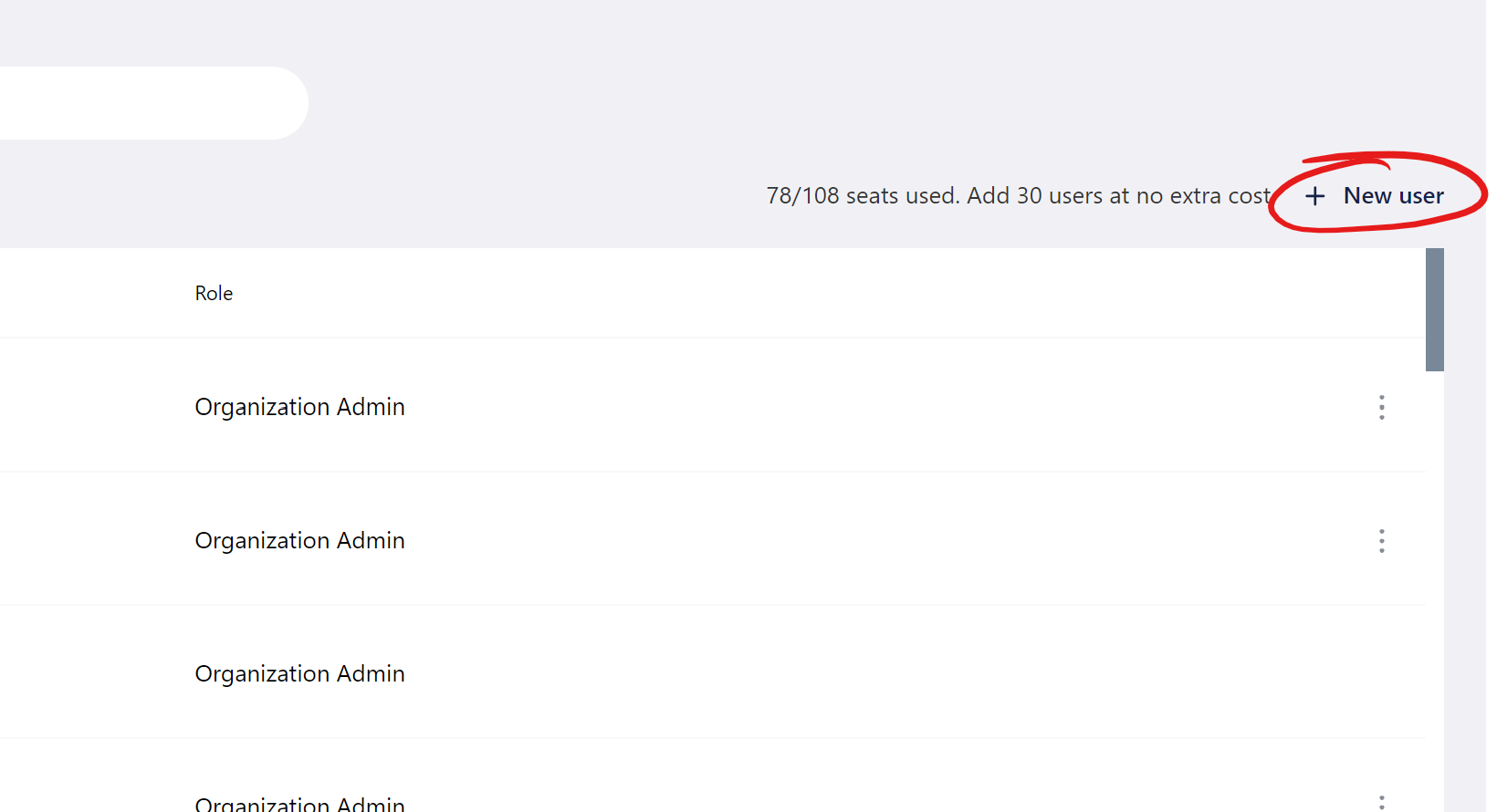
Click + New user
In the dialogue that appears, enter the email addresses of the users you'd like to add to your Drawboard Projects account.
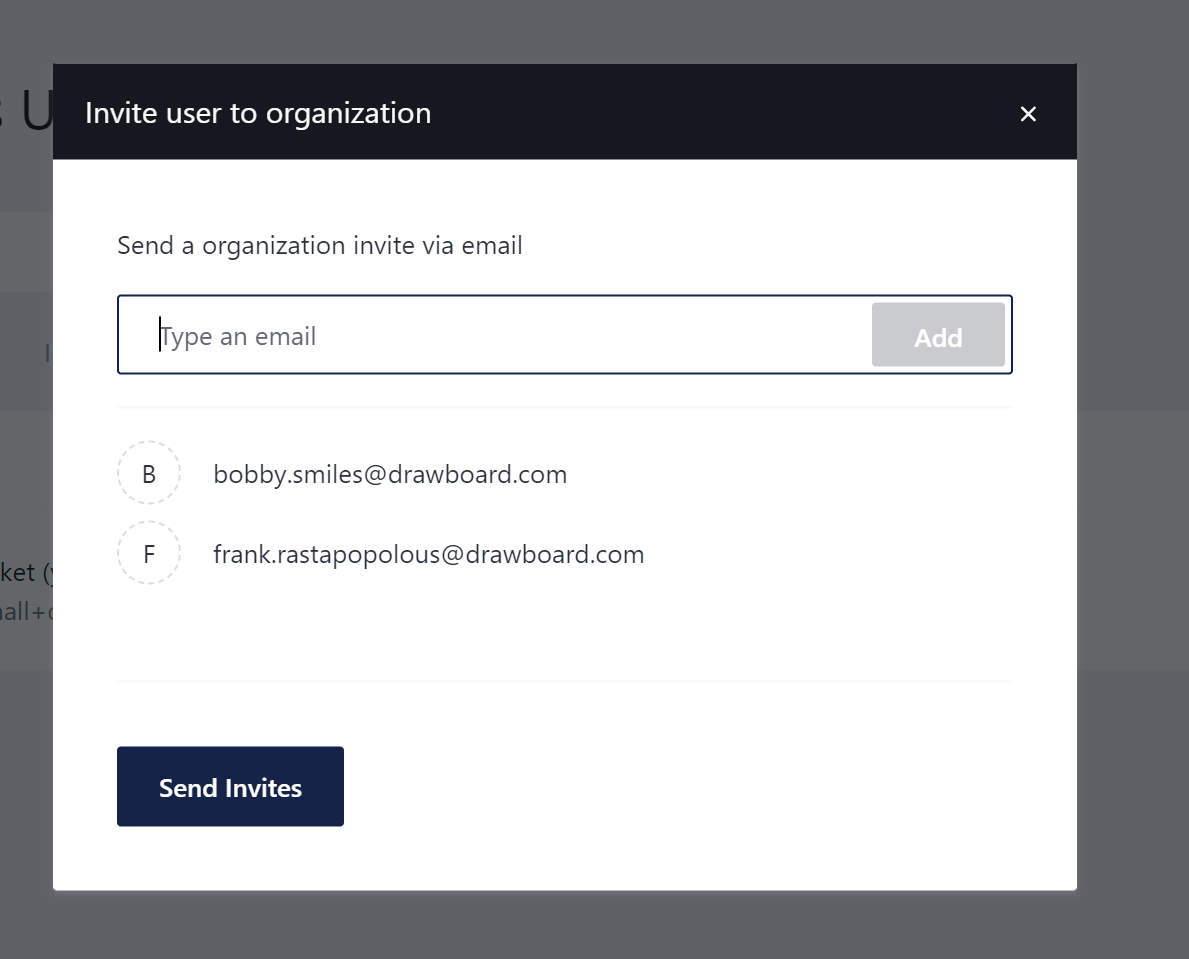
These users will receive an email with an invitation to join your Organization account. Once they've opened this email, they can click the Join organization link, choose a password, accept the terms of use, and click the Create account button to get started.
Adding new Organization Admins
If needed in the future, you can add a new Organization Admin:
- Navigate to the User Directory in the Account Admin portal
- Locate the user you wish to grant Organization Admin privileges to
- Click the More (...) button next to that user, and select Make admin
- Click Confirm
- This user now has Organization Admin privileges, and their entry in the User Directory will update to reflect this
To remove Organization Admin privileges from a user, follow the same steps but select Revoke admin privileges.